Last month brought the conclusion of IBC 2026, where the impacts of IP, HDR, and remote workflow evolutions proved agenda-setting topics once again. This time, much of the discussion focused on identifying practical, real-time solutions that solve the live production challenges these shifts present.
Andy Bellamy, EMEA Technical Director at AJA Video Systems, was on the ground at the show and shared his observations with us alongside a full rundown on AJA’s new FS8 for next-gen workflows.
Sponsored by AJAVideo Systems
Which trend stood out most in your conversations at IBC?
Even though ST 2110 was ratified roughly a decade ago, we’re just now seeing more facilities, trucks, and installs take their first implementation steps. The trend tracks with recent price reductions for 2110 switches and precision timing protocol clocks. Many customers I spoke with have already solidified a 2–3-year ST 2110 roadmap.
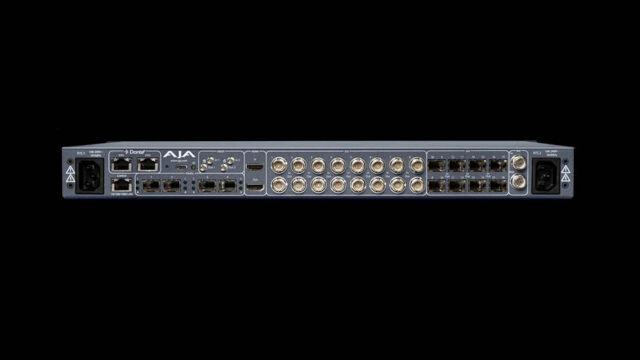
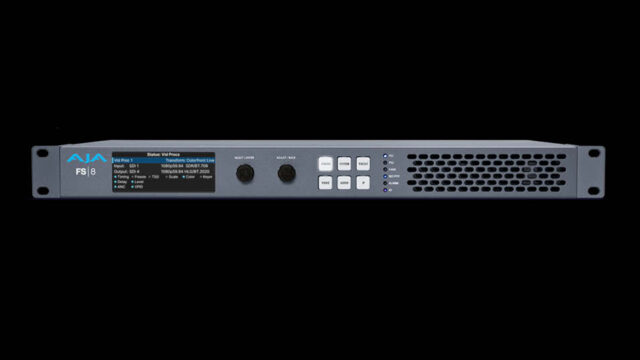
Most of these deployments will be hybrid, so the conversation included best practices for joining the worlds of SDI and ST 2110. It’s one reason FS8 was so well received at IBC; it’s a brilliant media processor with IP gateway capability that takes the complexity out of working with both in hybrid environments today while setting you up for an ST 2110 standard future.
Why are gateway tools becoming more crucial?
SDI and ST 2110 each have a unique language, so you need a tool to translate between them. FS8 supports video, audio, and ancillary data on 12G-SDI signals and also separate video, audio, and metadata essences in the 2110 world. It can run multiple ST 2110 streams to SDI monitors and multi-viewers, so you can use your SDI equipment in a 2110 environment, and vice versa.
The audio conversion capabilities on FS8 are also incredible, especially when so many audio formats are in use across productions today, whether MADI, Dante, or ST 2110-30. Being able to convert various audio formats to embedded SDI or vice versa is phenomenal.
Who is FS8 geared toward?
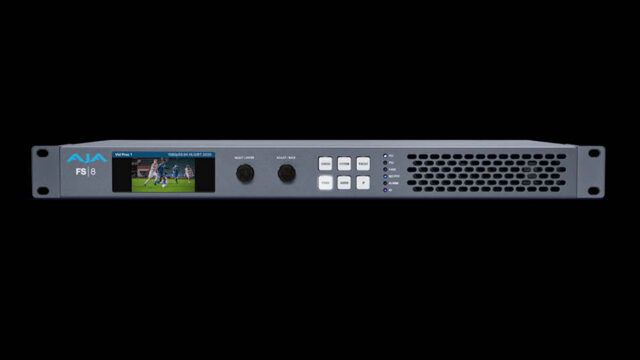
Remote productions and OB trucks are prime environments for FS8, but it also plays nicely in broadcast studios, AV installs, stadiums and arenas, and other venues. As advancements in IP, HDR, and remote production introduce new workflow complexities, there are more points in the chain for potential issues to arise.
FS8 provides peace of mind in any OB truck, studio, facility, or venue environment that might be dealing with a variety of media signals coming in. For instance, when you need to resize a video input, but there’s no time to offline, export, and bring it back in again, FS8 lets you easily do that, whether the signal is coming in via SDI or needs to move through a 2110 network.
What other challenges does FS8 address?
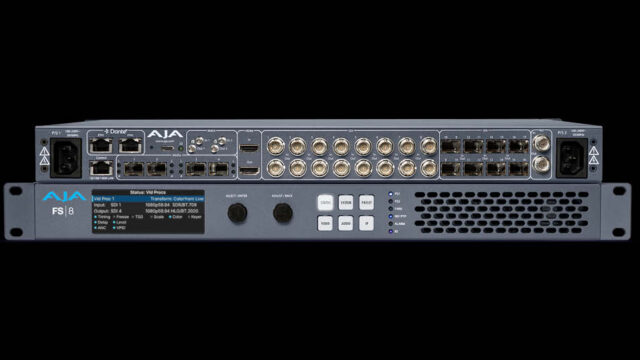
FS8 has one of the most intuitive UIs I’ve ever seen. It helps to narrow the skills gap between SDI and ST 2110. If you have a baseline understanding ST 2110, intuitive menu functions make it easier to execute tasks that may have previously seemed complex. And I haven’t even touched on the audio and color management and conversion pain points that FS8 alleviates.
Audio is lighter and faster than video, which can take time to process, so both can fall out of sync. With FS8, you can delay the audio to ensure it is in sync with your video. This is crucial in stadium and live production environments where you might have disparate audio sources, like roaming reporters connected via RF or bonded cellular with video and audio that must be relayed back to the main site.
Those signals must travel over the air and reach the receiver, and often arrive separately, causing sync issues. Using FS8, you can adjust the delay to ensure they line up. It’s also useful in cases where graphics contribution needs to be in sync, whether for overlays, lower thirds, or augmented reality graphics.
How does FS8 answer color management and conversion demands?
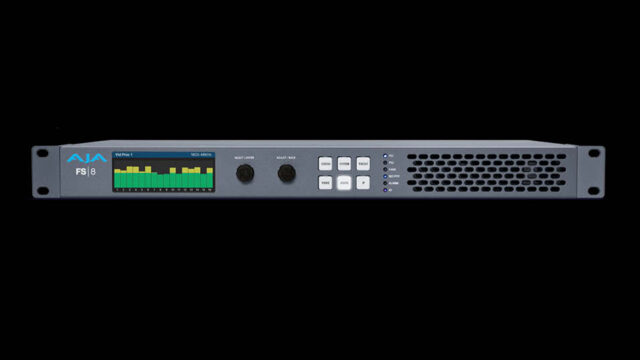
FS8 brings the level of up/down/cross conversion capabilities and color transforms that our FS-HDR supports, with greater density. You can work with eight HD inputs or four UltraHD inputs, each with its own discrete color pipeline.
An open RESTful API means that FS8 users can develop custom control interfaces for the device or use third-party solutions coming from partners such as Cyanview, Pomfort, and Skaarhoj. When juggling multiple camera feeds, FS8’s available color pipelines let you adjust how images appear, but you can also convert different camera log formats to weave into the main feed with a consistent, color-accurate look.
Why are these capabilities necessary today?
In some cases, it’s preferable to work with different cameras for various reasons, such as a higher frame rate, or in others, your rental house might not have all the camera inventory you need from a specific vendor. Flexibility is key in live production, which means being able to combine different cameras into a main production feed without impacting the aesthetic.
The tools integrated into FS8, like the optional Colorfront engine, provide more control over HDR and SDR transforms and camera log conversions, so you can bring these feeds into the same color space, balance for whites and the RGB, and ensure that they’re in the right HDR space.
How will AJA continue to develop FS8?
FS8 is the most feature-rich device AJA has created. Our engineering and product management teams spent considerable time developing it and evaluating all the different workflow scenarios it can solve, which shows in its feature set.
We are committed to making sure it continues to deliver value, so as you’d expect of any AJA solution, we’re taking customer feedback into account and plan to deliver continuous improvements via future updates. The value it delivers today is truly incredible, but its current feature set is only the beginning.
For more information on FS8’s sophisticated feature set and to understand how it might fit into your production environment, visit www.aja.com/fs8.
Staff Reporter
Share this story