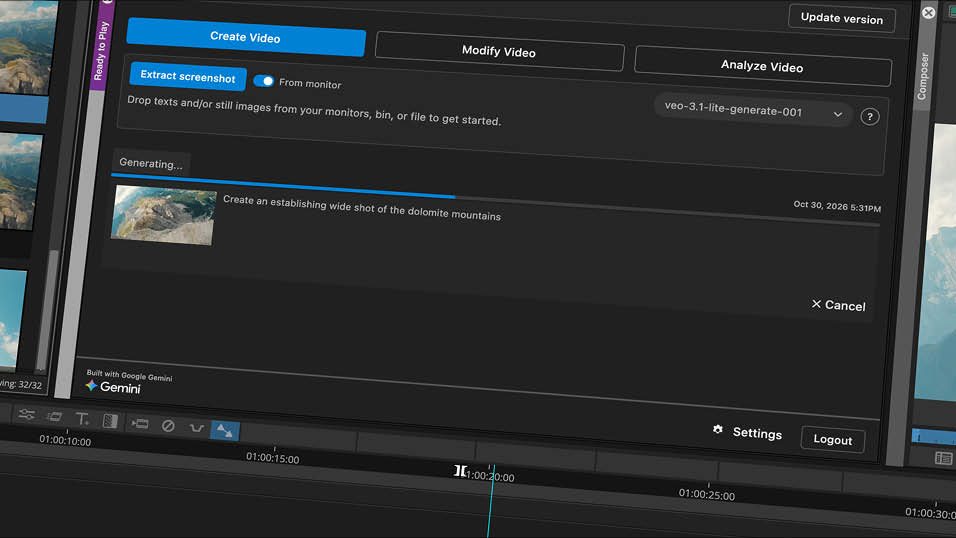
At its Adobe MAX conference. Adobe has announced innovations that transform Creative Cloud tools into agentic workflows.
The Adobe Creative Agent is expanding across Creative Cloud, orchestrating multi-step workflows so users can delegate and direct work. Adobe also previewed the local MCP integrations that will allow pros to use Creative Cloud tools from their preferred third-party agents.
New Creative Cloud innovations, including Generative Restyle in Photoshop, Color Mode in Premiere and Co-editing in InDesign, help photographers, video editors and designers work faster and with greater precision.
Adobe also introduced Firefly Design (beta), which brings raster, vector, motion, 3D and print together on one canvas so designers can create, review and deliver their work all in one place.
Following Adobe’s acquisition, Topaz Labs is introducing two new image enhancement models, Wonder 4 and Image HDR delivering upscaling, denoising, deblurring and sharpening capabilities to transform images with richer detail.
Adobe is advancing a new approach to creating that brings AI assistance and collaboration directly into Adobe tools, “helping them move from idea to execution faster and with greater flexibility, precision and control.”
“Creative professionals remain in control throughout the process, choosing when to delegate tasks to AI, when to make hands-on adjustments and how to apply their perspective, taste and judgment to shape the final result.”
“The ideas, taste, style and vision that creative professionals bring to their work are what make their work stand out,” said Deepa Subramaniam, vice president, product marketing, Creative Cloud at Adobe. “Our latest Creative Cloud innovations transform our trusted creative tools into agentic, intelligent workflows that give pros the precision, control and flexibility to explore their ideas, streamline their work and stay focused on the creative decisions that make their work uniquely theirs.”
The Adobe Creative Agent is now available in flagship desktop tools including Premiere, Illustrator, InDesign, After Effects and Frame.io. Agents can orchestrate multi-step workflows behind the scenes. The Creative Agent now supports new capabilities in Premiere including applying effects across every clip in a sequence, tracking masked subjects through a frame, and adjusting colour and exposure across an entire sequence at once.
Adobe is also previewing local MCP integrations for Creative Cloud tools that will let creative professionals direct their preferred third-party agents to work locally in Photoshop, Illustrator, Premiere and After Effects, with the agent making changes directly in native project files on the user’s computer. Layers, vectors, bins and sequences remain editable, and creative professionals can step in at any moment to refine the work by hand. If the agent is also connected to other MCP-capable tools such as Google Drive or Slack, it can bring them into the same workflow, pulling in a brief from Google Docs, working on the project with Adobe’s tools and sharing the result with colleagues in Slack.
Adobe Firefly, the AI creative studio, brings Adobe’s creative tools, top industry AI models and the Adobe Creative Agent together in one place. When pros want to go deeper, they can seamlessly move into Creative Cloud tools to further refine their work.
New capabilities in Adobe Firefly include:
Firefly Design (beta): A new design editing space that brings together tools for illustration, image editing, animation, 3D and print on a single canvas where creators can take a brand identity or social campaign from first idea to final review.
Firefly Graph (beta): Helps creative professionals build custom, repeatable workflows that bring together leading AI models and Adobe’s production tools, from character studies and shot lists to scaling brand guidelines across campaign assets. A built-in AI Assistant helps create and optimize each workflow.
Firefly Builder (private beta): A preview of design-to-code prototyping capabilities, helps creative professionals transform ideas into interactive, on-brand prototypes, like a website, presentation or app, using natural language, with no code required for the initial prototype and then edit any element directly on the canvas, while a design system keeps the project consistent.
Adobe is introducing new editing tools and performance enhancements across Creative Cloud to help creative professionals tackle complex tasks faster, refine their work with greater precision and advance their craft.
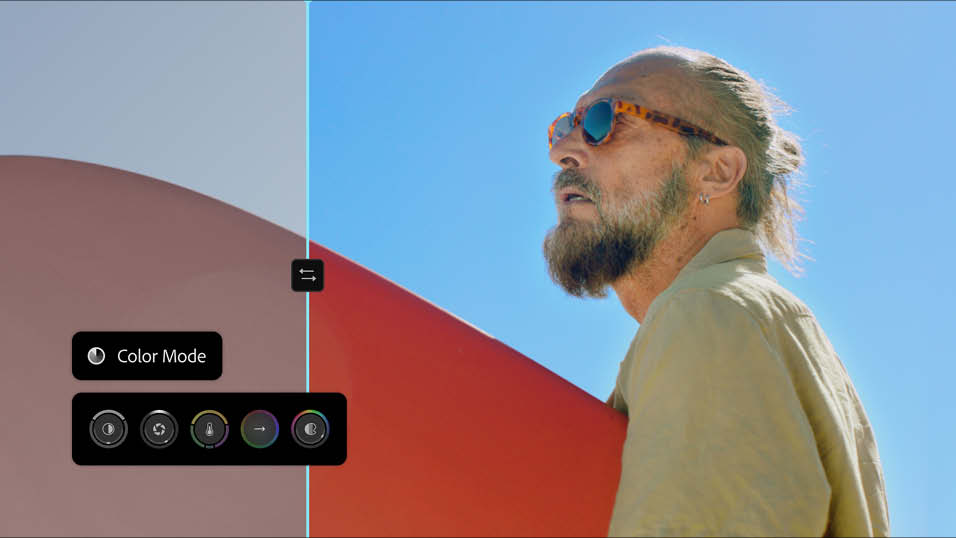
Premiere is delivering faster, more intuitive ways to edit video, colour and audio. Color Mode, a “first-of-its-kind” colour grading system, gives editors “confidence and control to craft brilliant colour.” Generative Media Tool generates video, sound effects, soundscapes and music directly in the timeline. AI-powered audio tools including Enhance Audio, Separate Crosstalk and Separate Sound Source quickly clean up, separate and refine audio. Generative Remove (beta) lets editors easily remove unwanted objects from a video and seamlessly fill the space with realistic detail.
Staff Reporter
Share this story